%20(1).jpg)

A Jamf alternative only truly protects your business if it addresses the security risks that device management alone cannot catch. Choosing based on price or interface leaves room for threats that compliance checks miss.
A compliant device and a safe device are not the same thing, and that gap is where most of the trouble starts. A phone or laptop can pass every policy check a management console runs and still be carrying malware, or quietly talking to a network it has no business touching.
Once that's true, the consequences stop being abstract. Lost data, downtime, and regulatory exposure all trace back to the same root cause: a tool that confirms settings but never actually looks for a threat.
That's usually what sends a business in Atlanta hunting for Jamf alternatives in the first place — a better price, a cleaner interface, a nicer fit for the team. Fewer of them go in asking the harder question, which is what's left unguarded once the new platform is installed.
Jamf alternatives tend to get sorted by feature list, cost, and ease of use, and all three matter. But the test that actually counts is whether the replacement closes the security gap device management leaves open, because managing a device and defending it are two different jobs.

Moving to a new platform can feel like forward motion, and often it is — but only if the focus doesn't stop at device controls. A lot of businesses treat "enrolled, configured, compliant" as the finish line, and that's the part we'd push back on.
Tools like Jamf Pro, Kandji, and Mosyle are built to enforce policy, push updates, and keep Apple devices in line with company rules. What they're not built to do, reliably, is catch an active threat — malware already running, a phishing attempt already in someone's inbox, a network attack already underway.
So a device can clear every check on the dashboard and still be infected, because attackers who know these consoles know exactly what they don't watch for. For a business handling sensitive data or sitting inside a regulated industry, that blind spot carries weight: one incident is enough to turn into a financial or legal problem.
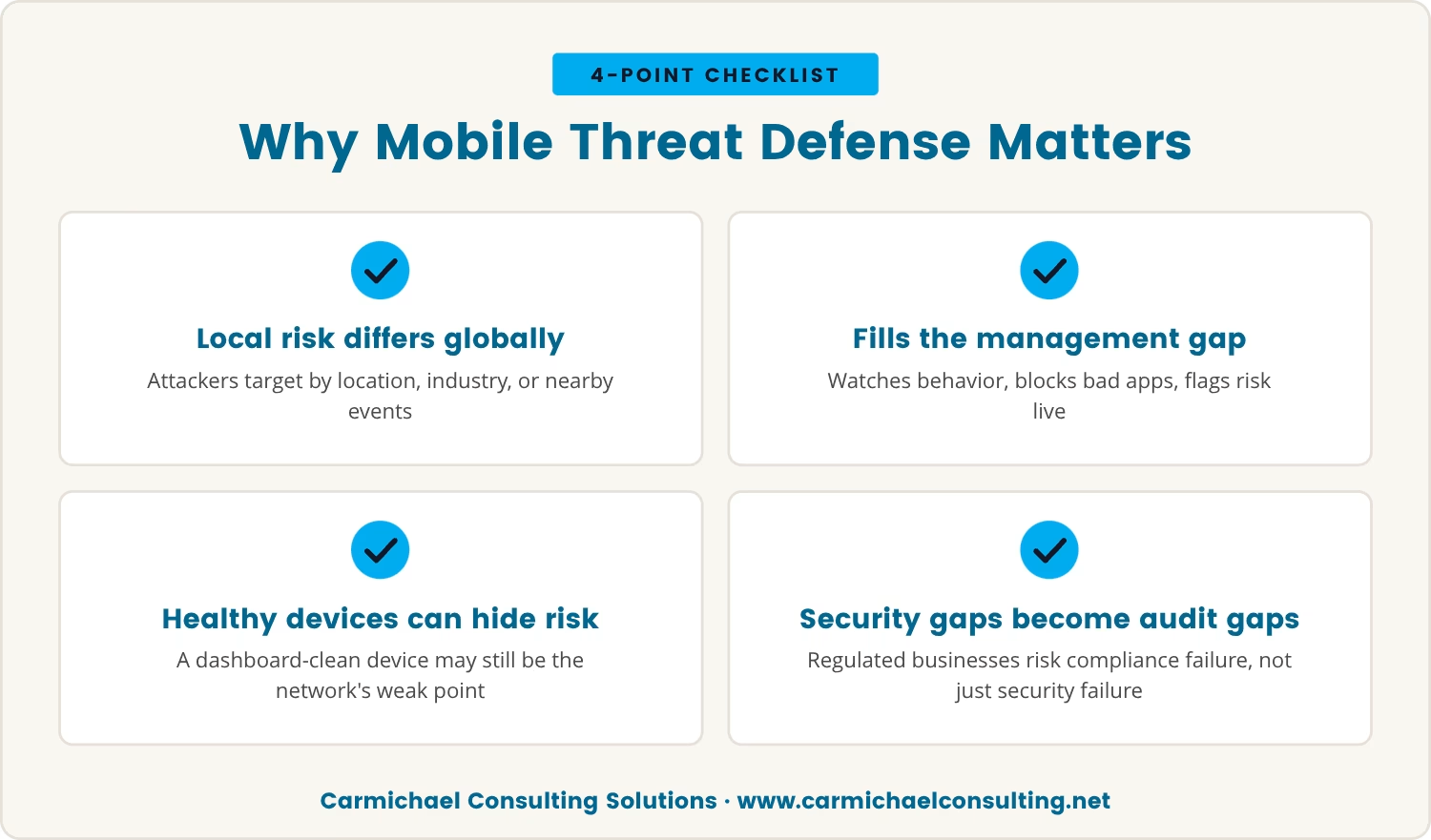
For companies in Atlanta, that blind spot isn't theoretical, since mobile device management is usually the only layer in place. Local risk doesn't always mirror the global threat landscape, either — attackers often pick targets by location, industry, or even by what's happening nearby at a given moment.
Mobile threat defense fills the part device management skips: it watches for suspicious behavior, blocks harmful apps, and flags risk in real time instead of after the fact. Without it, a device that looks completely healthy on the management dashboard can still be the weak point in the network.
And if your business answers to state or federal data protection rules, that weak point isn't just a security problem — it's an audit problem. The Jamf alternative worth choosing is the one built to help you meet those requirements, not just the one with the nicest dashboard.
Sorting through Jamf alternatives always gets framed as a features-and-pricing exercise, and we think that framing undersells what's actually being decided. The question that matters is which gap each option genuinely closes, not which one has the longest spec sheet.
We'll say this plainly, hedged the way we hedge anything about where a company should put its energy: we think strength shows up more honestly in security and day-to-day operations than in heavier, higher-end development work, and we're fairly confident that's the right lead for most businesses working through this list.
Operations and security are concrete — a device gets patched and watched, or it doesn't — and that's the kind of outcome we'd rather be judged on.
We're not claiming to be strongest at everything; development-heavy builds aren't where we'd point you first, and we think that trade is worth making if it means being genuinely solid at the work that keeps a fleet from failing quietly.
With that in mind, here's what actually separates the options once you get past the dashboards:
A solid alternative actively hunts for malware, phishing, and network attacks rather than just confirming a policy was applied. Enforcement tells you a setting is correct; it doesn't tell you a device is clean.
Look for a platform that folds mobile threat defense into the same console as device management, instead of running them as two disconnected systems. That overlap is where most of the real protection actually sits.
Few fleets are purely Apple anymore — iOS, macOS, Android, and Windows all tend to show up somewhere. Whatever you choose needs to cover all of them, not just the device type it was built around first.
Automated, detailed reporting is what lets you prove compliance instead of hoping it holds up under audit. It also tends to surface problems while they're still small enough to fix quietly.
A platform your team finds confusing gets worked around, and workarounds are exactly where coverage gaps open up. Choose something that fits how people already work, not the reverse.
An automated response acts the moment a threat appears, which beats any manual process we've seen hold up under real pressure. That speed is often the line between a contained problem and a spreading one.
Knowing a device is enrolled isn't the same as knowing what it's doing. Full visibility across every endpoint is what lets you catch something while it's still manageable.
Passing a compliance check and being safe turn out to be two different claims, and plenty of businesses only learn the difference after the fact. Attackers lean on exactly the gaps standard device management tools were never built to watch.
A device can be configured perfectly and still connect to a network it shouldn't trust — without mobile threat defense running, that connection goes unnoticed. Phishing works the same way: it sidesteps device controls entirely and goes straight for the person holding the device.
Put those together and you get a business that looks secure on paper while staying exposed in practice, which is exactly why the platform choice carries more weight than it first appears to.
Comparing Jamf competitors gets easier once you know which features actually address the mobile threat defense gap rather than just decorating a features page. A few are worth prioritizing above the rest:
Feature lists and pricing tables are easy to get pulled into, but security should be the deciding factor underneath all of it. When you're reviewing a platform, the honest question is simple: does it actively defend against threats, or does it just manage settings?
From there, test it against something concrete — a device joining an unsafe network, or downloading an app it shouldn't. What you're looking for is proof the threat gets blocked, not just logged somewhere for later.
Ask the vendor directly how their mobile threat defense integrates with device management, since the strongest platforms don't make you choose between control and protection. The right choice is the one that catches what compliance checks alone can't.
The next generation of management platforms is heading toward unified endpoint management, where device controls and threat defense run as one system instead of two. That gives you a single view of the whole fleet, with security built in rather than bolted on.
As attackers keep adapting, the businesses in better shape are the ones running tools that adapt with them and keep full visibility intact. The strongest Jamf alternatives are the ones that close the mobile threat defense gap — not simply the ones offering a cleaner interface or a lower number on the invoice.
Choosing well means your devices end up managed and genuinely protected, today and as the threats keep shifting under everyone's feet.

Many businesses with 10 to 350 employees find themselves unsure if their device management platform actually protects them from real threats. At Carmichael Consulting Solutions, we understand how easy it is to overlook the risks that compliance checks miss.
If you want to see how we approach mobile threat defense and unified endpoint management, we invite you to start a conversation about your current setup.
Get a FREE $2,500 Cybersecurity Audit—available to qualified businesses looking to strengthen their mobile threat defense and overall IT security.
A strong Jamf competitor goes past configuration and compliance checks to include real mobile threat defense — malware detection, phishing protection, and automated response to suspicious activity. That combination is what catches threats standard management tools tend to miss.
Mobile device management enforces policy, pushes updates, and keeps devices aligned with company rules. Mobile threat defense actively scans for malware, phishing, and unsafe networks, and both layers are needed since device management alone doesn't stop an active attack.
Yes — many alternatives to Jamf cover iOS, macOS, Android, and Windows under one system. That matters for any business running a mixed fleet, since it keeps security and management consistent across every endpoint rather than splitting coverage by device type.
Automation cuts down human error and shortens response time by enforcing policy and reacting to detected threats without waiting on a person. It also streamlines onboarding, which frees IT teams to spend their attention on the harder problems.
Confirm the platform offers detailed audit trails, automated compliance reporting, and customizable policy controls, since those are what make an audit defensible. It's worth checking directly that the reporting lines up with the specific regulations your business has to meet.
After almost 15 years working in corporate Information Technology in Atlanta, Georgia, Tyler Jones left his role as Vice President of Service Operations with a national payroll provider in 2011 to start Carmichael Consulting Solutions, LLC.


.svg)
-svg.webp)
.svg)