Choosing the right access control software is a critical step in protecting your business. Whether you're managing a single office or multiple locations, the right system can help you stay secure, compliant, and efficient. In this blog, we’ll walk through what access control software is, common mistakes to avoid, key features to look for, and how to implement it effectively. We’ll also cover how it integrates with your existing security system and why a scalable, real-time solution matters.
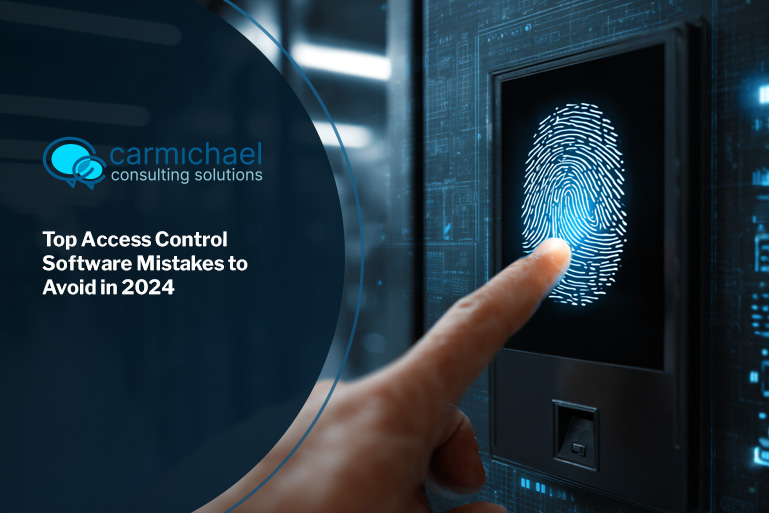
Access control software is a digital system that manages who can enter or access certain areas of your business. It works with hardware like card readers, keypads, or biometric scanners to verify identities and control entry points. This type of software is essential for businesses that want to protect physical spaces, digital assets, or both.
Modern access control systems often include cloud-based features, allowing you to manage access from anywhere. These systems can be integrated with your existing security system and scaled as your business grows. With real-time monitoring, you can track who enters and exits your facility at any time.

Setting up access control software can be straightforward, but there are common mistakes that can lead to security gaps or inefficiencies. Here are the most important ones to avoid:
Not all systems are created equal. Some are better suited for small offices, while others are designed for larger facilities. Choosing a system that doesn’t match your needs can result in wasted money and poor security.
If your access control software doesn’t work well with your current security system, you’ll face compatibility issues. Make sure your software supports integration with video surveillance, alarms, and other tools.
Management software should make it easy to add, remove, or update users. If your system lacks user-friendly control management tools, it can slow down operations and increase the risk of human error.
Your business may grow, and your access control solution should grow with it. A scalable system allows you to add more doors, users, or locations without replacing the entire setup.
Even the best access control software won’t help if your team doesn’t know how to use it. Make sure employees understand how to use the system and follow security protocols.
Outdated software can become a security risk. Regular updates ensure your system stays secure and compatible with new technologies.
Real-time alerts and logs help you respond quickly to unauthorized access attempts. Without this feature, you may not notice a breach until it’s too late.
Access control software offers several advantages for businesses of all sizes:

Choosing the right access control solution isn’t just about locking doors—it’s about protecting your people, data, and operations. A well-selected system gives you better visibility and control over your facility. It also helps you meet compliance requirements and reduce liability.
Some businesses in regulated industries may need more advanced features, such as audit trails or multi-factor authentication. Others may prioritize ease of use or mobile access. Understanding your needs helps you pick the best access control software for your situation.
When evaluating access control management software, look for features that support both security and convenience. Here are some of the most valuable ones:
Cloud-based systems allow you to manage access from any device with an internet connection. This is especially useful for businesses with multiple locations or remote administrators.
A mobile app lets you grant or revoke access, view logs, and receive alerts on the go. It adds flexibility and improves response times.
Assigning access based on job roles helps reduce errors and ensures people only access what they need. This is a key part of control management.
Combining access control with video surveillance provides a complete view of security events. You can verify who entered a space and when.
Automated alerts and detailed reports help you stay informed and respond quickly to issues. Look for software that lets you customize these settings.
If your business uses different types of access systems—like keycards, PINs, or biometrics—make sure your software can manage them all from one platform.

Implementing access control software involves more than just installing hardware. Start by identifying which areas need protection and who should have access. Then, choose a system that fits your current needs and future growth.
Next, work with your IT or security provider to install and configure the software. Test the system thoroughly before going live. Finally, train your staff and set up a regular maintenance schedule to keep everything running smoothly.
To get the most out of your access control software, follow these best practices:
Following these steps helps ensure your system stays secure and effective over time.

Are you a business with 10 to 350 employees looking for a better way to manage access? If you're growing and need a system that scales with you, we can help. Our team understands the unique needs of small to mid-sized businesses and offers solutions that fit your budget and goals.
We specialize in helping companies implement access control software that works with their existing tools. Whether you need mobile access, cloud-based management, or integration with video surveillance, we’ll guide you through every step. Contact us today to get started.
Access control helps small businesses secure their facilities without relying on outdated keys or manual logs. It gives you better control over who enters your space and when.
With a scalable, cloud-based system, you can manage access in real-time and adjust permissions as your team grows. This improves security and simplifies daily operations.
A smart access control system uses digital credentials like keycards, mobile apps, or biometrics to verify users. It connects to access control software that manages permissions.
These systems often include real-time alerts and integration with your security system. That means you can monitor activity and respond quickly to any issues.
A good mobile app should let you manage users, view logs, and receive alerts. It should also support remote access and work with your existing access systems.
Look for apps that are easy to use and offer secure login options. This adds convenience without sacrificing security.
Yes, many access control solutions support integration with video surveillance. This allows you to verify access events with visual footage.
Integration helps you respond faster to incidents and improves your overall security solution. It’s especially useful for businesses with multiple entry points.
Network access control software manages who can access your digital network, while physical access systems control entry to buildings or rooms.
Both are important parts of a complete security system. They can often be managed through the same platform for better control and visibility.
The access control software market is moving toward cloud-based platforms, mobile access, and real-time monitoring. These features offer more flexibility and better security.
Businesses are also looking for systems that support integration and are easy to scale. This makes it easier to adapt as needs change.
%20(1).jpg)
After almost 15 years working in corporate Information Technology in Atlanta, Georgia, Tyler Jones left his role as Vice President of Service Operations with a national payroll provider in 2011 to start Carmichael Consulting Solutions, LLC.


.svg)
-svg.webp)
.svg)